
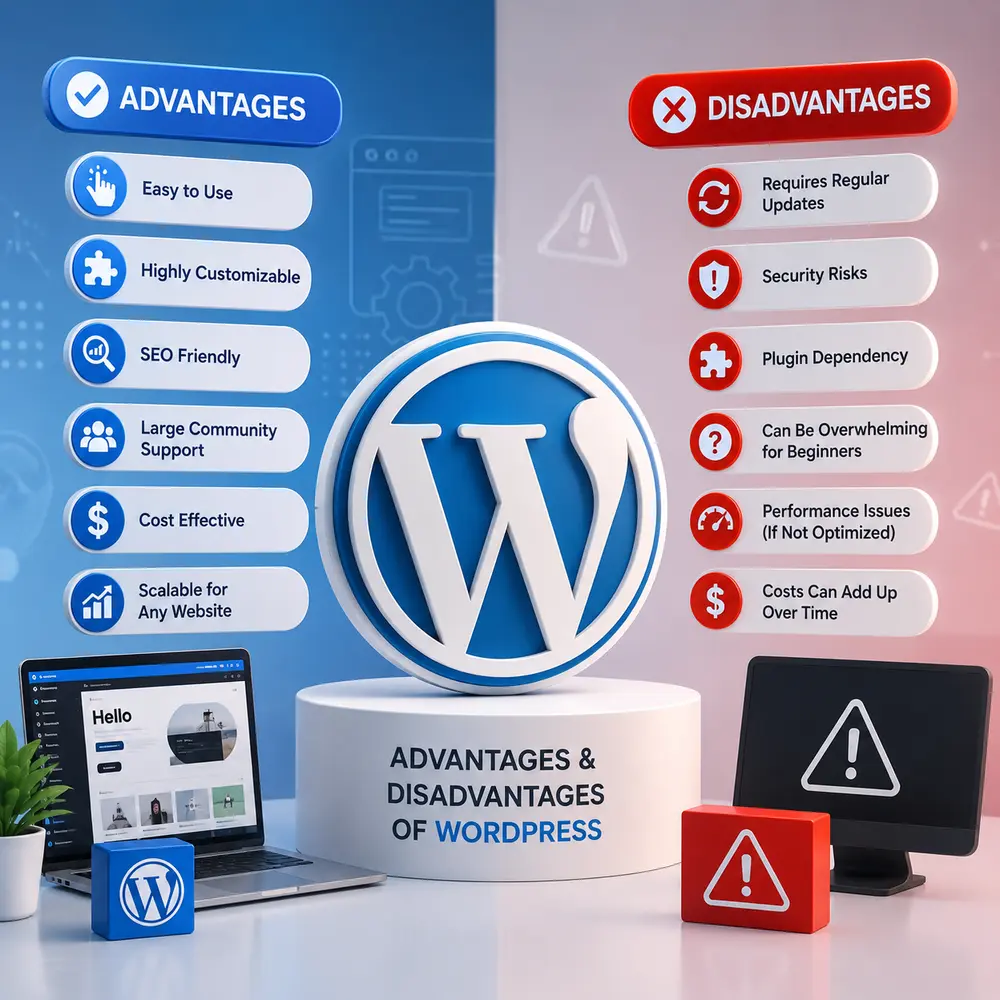
WordPress is the most widely used website-building platform in the world right now. It powers more than 43% of all websites on the internet in 2026. From personal blogs to large business websites, WordPress is the go-to choice for millions of people. But knowing the advantages and disadvantages of WordPress before you start is important. It helps you decide if it is the right platform for your needs. In this guide, you will get a clear, honest, and up-to-date look at everything WordPress offers — and everything it does not.
What is WordPress?
WordPress is a free and open-source Content Management System, also called a CMS. It allows you to build and manage websites without needing to write code from scratch. Matt Mullenweg and Mike Little launched it in May 2003. It started as a simple blogging tool but has since grown into the world’s most powerful and flexible website platform.
WordPress comes in two versions. WordPress.org is the self-hosted, fully open-source version where you control everything. WordPress.com is a hosted service run by Automattic, with some limitations on plugins and customization. Most developers and business owners prefer WordPress.org for its full freedom and flexibility.
WordPress in Numbers: Key Stats for 2026
These numbers show just how dominant WordPress is across the internet today.
- WordPress powers approximately 43% of all websites worldwide.
- It holds nearly 60% of the global CMS market share.
- Over 590 million active websites run on WordPress.
- More than 60,000 free plugins are available in the official library.
- The WordPress.org theme directory offers over 14,000 free themes.
- WordPress has been translated into 208 languages and locales.
- WooCommerce, the WordPress e-commerce plugin, powers over 4.25 million online stores.
- About 661 new WordPress websites are launched every single day.
- Around 30% of WordPress sites now use at least one AI-powered plugin.
No other CMS comes close to this level of adoption. WordPress is not just popular — it is the clear global leader in website development.
Advantages of WordPress
There are many strong reasons why so many people choose WordPress. Let us go through the most important ones.
1. It is Completely Free and Open Source
The WordPress software itself costs nothing to download or use. There are no licensing fees. Being open-source means the source code is publicly available. Developers around the world can view, modify, and improve it freely. This has created a rich, constantly improving platform. You only pay for web hosting and a domain name to get your site online.
2. Easy to Use for Beginners
WordPress has a clean, simple dashboard that beginners can learn quickly. Adding pages, writing blog posts, and uploading images takes just a few clicks. The block-based Gutenberg editor makes it easy to design pages visually. You do not need any technical knowledge to manage a WordPress website on a day-to-day basis.
3. Massive Plugin Ecosystem
One of the strongest advantages of WordPress is its plugin library. With over 60,000 free plugins available, you can add almost any feature to your website without coding. Want a contact form? There is a plugin for that. Need an SEO tool, a booking system, a social media feed, or a page speed optimizer? There are plugins for all of them. This makes WordPress incredibly versatile and extendable.
4. Built-In SEO Advantages
WordPress is built with clean, search-engine-friendly code. It generates proper page structures that Google and other search engines can read easily. Powerful SEO plugins like Yoast SEO and Rank Math give you full control over meta titles, meta descriptions, XML sitemaps, and canonical URLs. You can optimize every page without touching a single line of code. This is one of the top reasons why content-driven and marketing-focused websites prefer WordPress over other platforms.
5. Highly Flexible and Scalable
WordPress works well for websites of every size. A beginner can start with a simple blog, while an enterprise can run a complex website with thousands of pages on the same platform. It scales without limits when paired with the right hosting. Major global brands including Mercedes-Benz and Vogue have used WordPress to run their web presence. This level of scalability is rare in any platform.
6. E-Commerce Made Easy with WooCommerce
If you want to sell products or services online, WordPress gives you WooCommerce for free. WooCommerce is the world’s most used e-commerce platform by total store count. It powers over 4.25 million active online stores and holds a 33% global e-commerce market share. You can sell physical products, digital downloads, subscriptions, memberships, and more. It is a complete store-in-a-box solution built right into WordPress.
7. Large and Supportive Community
WordPress has one of the largest user and developer communities in the tech world. There are thousands of free tutorials, YouTube channels, forums, Facebook groups, and local meetups dedicated to helping WordPress users solve problems. If you run into an issue, chances are very high that someone has already solved it and shared the answer online. This kind of community support is invaluable, especially for those just starting out.
8. Full Ownership — No Vendor Lock-In
With WordPress, you own everything. Your content, files, and data all belong to you. You can move your website to a different hosting company at any time. No company can take your website away, shut it down, or suddenly change the pricing rules on you. This is a major advantage over hosted website builders where you are tied to their terms and conditions.
9. Regular Updates and AI Integration in 2026
The WordPress development team regularly releases updates with new features, performance improvements, and security patches. In 2026, WordPress introduced native AI integration and real-time collaboration features, making it more competitive and future-ready than ever. Your investment in a WordPress website is protected for the long term because the platform continues to evolve.
Disadvantages of WordPress
WordPress is not without its problems. Here are the most significant disadvantages you need to know before you choose it as your platform.
1. Security Vulnerabilities Are a Real Concern
Security is the most talked-about weakness of WordPress. Because it is so popular, it is also a very common target for hackers and automated attacks. On average, a WordPress website faces an attack attempt every 28 minutes. About 96% of all reported WordPress vulnerabilities come from third-party plugins and themes — not from the WordPress core itself. This means users who install unvetted or outdated plugins put their websites at serious risk. You need security plugins, regular updates, and strong login credentials to stay protected.
2. Regular Maintenance is Required
A WordPress website is not a set-it-and-forget-it solution. You need to regularly update the WordPress core software, your installed plugins, and your active themes. Sometimes a plugin update can cause compatibility issues or even break parts of your website. You are also responsible for managing your own backups. For users who want a completely hands-off website, this ongoing maintenance can feel like a burden.
3. Performance Can Drop Without Proper Optimization
WordPress websites can become slow if they are not set up and managed correctly. Installing too many plugins or using a poorly coded theme adds extra weight to your pages. Slow-loading pages hurt user experience and can damage your SEO rankings. To keep a WordPress site fast, you need a high-quality hosting plan, a caching plugin, optimized images, and a clean code setup. Without these steps, performance will suffer.
4. Learning Curve for Advanced Customization
For basic use, WordPress is easy. But when you want to go beyond the basics — building custom features, modifying theme templates, or working with the WordPress database — the learning curve becomes steep. You may need to understand PHP, CSS, JavaScript, and how WordPress hooks work. Hiring a professional developer for complex tasks can become expensive, especially for small businesses or solo creators.
5. Plugin Dependency and Conflicts
Too many plugins create real problems. Every additional plugin adds code that can slow your site or conflict with another plugin. Some plugins are abandoned by their developers and stop receiving updates, leaving security gaps. A single badly coded plugin can break an entire website. Choosing and managing plugins carefully is essential — but many beginners install too many without realizing the risks.
6. Costs Can Add Up Over Time
While the WordPress software is free, running a well-built WordPress website is not always cheap. The average price of a premium WordPress theme is around $77. Many essential plugins have yearly subscription fees. Good web hosting for a fast and secure site can cost anywhere from $20 to $100 or more per month. If you hire a developer for design and customization, the costs rise further. Budgeting for these expenses upfront is important to avoid surprises later.
Who Should Use WordPress?
WordPress is an excellent choice for bloggers, content creators, small businesses, e-commerce entrepreneurs, news websites, and creative professionals like designers and photographers. It works best for people who want full control over their website and are committed to learning the platform properly.
WordPress is especially powerful for websites that rely on content marketing, blogging, and search engine visibility. If SEO is important to your growth, WordPress gives you tools that few platforms can match.
However, WordPress may not be the best fit for people who need a simple, one-page website with almost no maintenance. For very basic needs, a hosted drag-and-drop builder might be easier and less time-consuming.
WordPress vs Other Platforms: Quick Comparison
Many users compare WordPress with platforms like Wix, Squarespace, and Shopify. Here is a simple breakdown of how WordPress stands out.
- WordPress vs Wix: WordPress offers far more flexibility, control, and scalability. Wix is easier to set up but limits what you can do as you grow.
- WordPress vs Squarespace: Squarespace is great for beautiful design with minimal effort. WordPress wins when it comes to SEO, plugins, and long-term customization.
- WordPress vs Shopify: Shopify is built purely for e-commerce. WordPress with WooCommerce is a strong alternative that gives you more control and lower platform fees.
For most use cases in 2026, WordPress remains the most complete and flexible option available.
Final Thoughts: Is WordPress the Right Choice for You?
The advantages and disadvantages of WordPress are both real and worth understanding fully. WordPress offers unmatched flexibility, a powerful plugin ecosystem, strong SEO capabilities, e-commerce support, and a global community. At the same time, it comes with challenges like security management, regular maintenance, and the need for ongoing optimization.
For most websites in 2026, WordPress is still one of the best platforms you can choose. It is proven, trusted by the world’s biggest brands, constantly updated, and backed by a massive support community. As long as you manage it responsibly and choose the right hosting and plugins, WordPress can grow with your business from day one.
If you are ready to get started, choose a reliable hosting provider, install a lightweight theme, and install only the essential plugins you need. Your WordPress journey starts with one click — make it count.