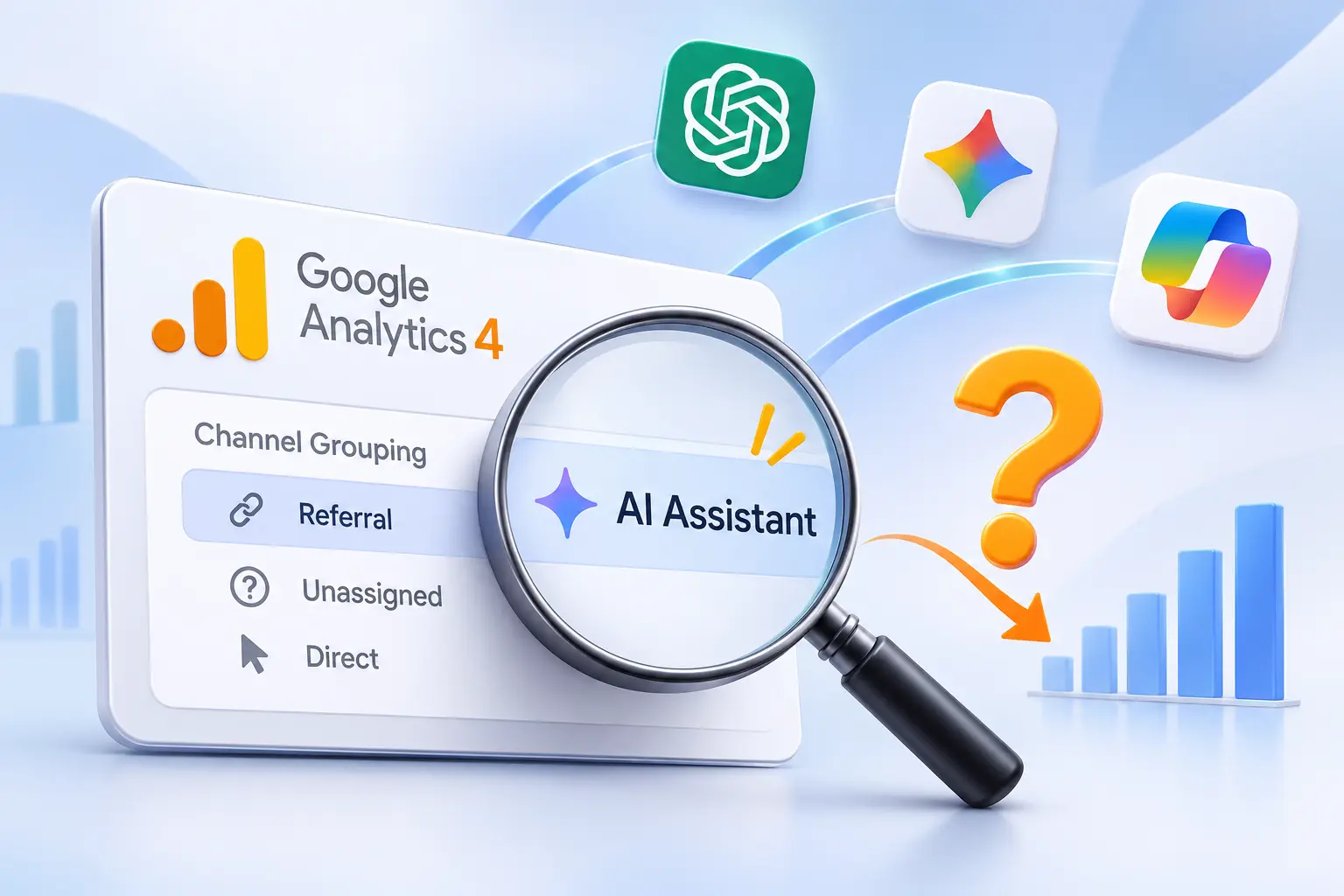
Quick answer: Google Analytics 4 now has a built-in AI Assistant channel, but it only catches some AI visits. The same ChatGPT visitor can land in AI Assistant, Referral, Unassigned or Direct. To see the full picture, read those channels together and build a custom channel group that claims AI sources first.
If you looked at GA4 recently and decided that AI search sends you almost no visitors, that conclusion may be wrong. The problem is often not the traffic. It is how GA4 sorts it. This guide shows where AI visitors hide, how to fix your reports step by step and what GA4 still cannot tell you.
What changed in GA4 in 2026
According to Search Engine Journal, Google added an AI Assistant channel to GA4’s default channel group on 13 May 2026 and rolled it out to most properties by early June. Google’s channel definitions page says a session lands there when the medium is exactly ai-assistant, which GA4 sets when the referrer matches its list of AI assistants. That list currently names ChatGPT, Gemini, DeepSeek, Copilot and Grok. Google AI Overviews and AI Mode are not in it. They count as Organic Search.
That sounds like the problem is solved. It is not.
Why GA4 still undercounts AI traffic
GA4 assigns a channel using the source and the medium together. If the medium is missing or different, the same visit lands somewhere else.
| Where the visit lands | Why it happens |
|---|---|
| AI Assistant | The referrer is recognised and the medium is set to ai-assistant |
| Referral | The source is an AI site, but the visit is not tagged with the AI medium, for example older data from before your property received the channel |
| Unassigned | The source is kept but the medium is missing, which is commonly linked to in-app browsers that strip referrer details |
| Direct | There is no referrer at all, so GA4 has nothing to match |
| Organic Search | Clicks from Google AI Overviews and AI Mode |
Perplexity is not on Google’s list, so it normally still shows up under Referral. And if you compare months before and after the rollout, you are comparing tagged data with untagged data.
Step 1: See what GA4 already shows
- In GA4, open Reports, then Acquisition, then Traffic acquisition.
- Look for the AI Assistant row in the channel group table. If it is missing, your property may not have received the channel yet or had no matching visits in the date range.
- Switch the dimension to Session source / medium. Search for chatgpt.com, perplexity, gemini.google.com, copilot.microsoft.com and claude.ai, and note every medium they appear under.
Step 2: Build a custom channel group that catches everything
- Go to Admin, then Data display, then Channel groups.
- Create a new channel group and start from the default channels so the rest of your traffic is still sorted as usual.
- Add a channel called AI. Set the condition to Source matches regex and paste a pattern like this one:
.*(chatgpt\.com|chat\.openai\.com|perplexity\.ai|gemini\.google\.com|claude\.ai|copilot\.microsoft\.com|deepseek\.com|grok\.com).*
- Drag the AI channel above Referral and Organic Search. GA4 checks channel rules from top to bottom, and the first match wins.
- Save the group and select it in your acquisition reports.
Use full domains in the pattern. Short fragments such as “gpt” or “google” match unrelated traffic and inflate your numbers. AI platforms change their domains, so review the list every quarter and test it against your Source / medium report before you rely on it.
Step 3: Compare periods fairly
Apply the same channel group to the whole date range. A custom group re-sorts your historical data in reports, so you can compare earlier months with later ones using one definition. Avoid comparing the default AI Assistant channel across May and June 2026, because its rollout changed what it contained.
Step 4: Measure what matters, not just sessions
A visit from an AI assistant is only useful if it leads somewhere. In your reports, add your key events (form submissions, calls, bookings, purchases) and compare the AI channel with Organic Search. Look at engaged sessions and key event rate, not just the session count. Then open the landing pages report and see which pages AI visitors arrive on. Those are the pages worth improving first.
What GA4 cannot show you
- Google AI Overviews and AI Mode. GA4 counts them as Organic Search. In Search Console, Google confirmed in June 2025 that AI Mode clicks and impressions count toward your totals. Search Engine Journal reported in early November 2026 that AI clicks still cannot be separated by feature in the Performance report.
- Visits with no referrer. These fall into Direct and cannot be matched to an AI source.
- Influence without a click. Someone may see your brand in an AI answer and then search your name or type your address. That visit never shows as AI traffic.
Treat the AI channel number as a minimum, not a total.
Five common GA4 AI tracking mistakes
- Reading only the AI Assistant channel and ignoring Referral, Unassigned and Direct.
- Comparing months across the May and June 2026 rollout.
- Using broad words in the regex and counting unrelated visitors.
- Ignoring Direct spikes on pages AI tools are likely to quote, such as guides and FAQ pages.
- Judging success by sessions instead of enquiries, calls and sales.
What to do once you can see AI traffic
Start with the pages AI visitors land on. Make sure each one answers its question clearly, states facts that are current and makes the next step obvious. Our guides on generative engine optimization and AI search optimization explain how to earn more of those mentions, and the rise of zero-click searches covers why some visits never happen at all. If your wider SEO needs a check, start with our 7-step SEO audit checklist.
Frequently asked questions
Does GA4 track ChatGPT traffic?
Partly. ChatGPT is on GA4’s AI assistant list, but visits can still land in Referral, Unassigned or Direct. Check all of them or use a custom channel group.
Is Perplexity in the AI Assistant channel?
Not on Google’s current list, so it normally appears under Referral. A custom channel group catches it.
Can I see Google AI Overviews traffic in GA4?
Not separately. GA4 counts AI Overviews and AI Mode clicks as Organic Search.
How often should I update the regex?
Review it every quarter, because AI platforms and their domains change.
Do I need a developer to do this?
No. Creating a channel group is an Admin setting. If you are not sure how your GA4 is set up, we can check it for you.
Get your AI traffic measured properly with Technilizer
Our team can audit your GA4 setup, build the AI channel group and report which pages AI visitors land on and which of them become enquiries. Learn more about our SEO services and digital marketing services, or contact us for a quote.